Sidenote: I don't ever have access to your login credentials. All the authentication is done via plex's servers, so I can only see your email, but not your password.
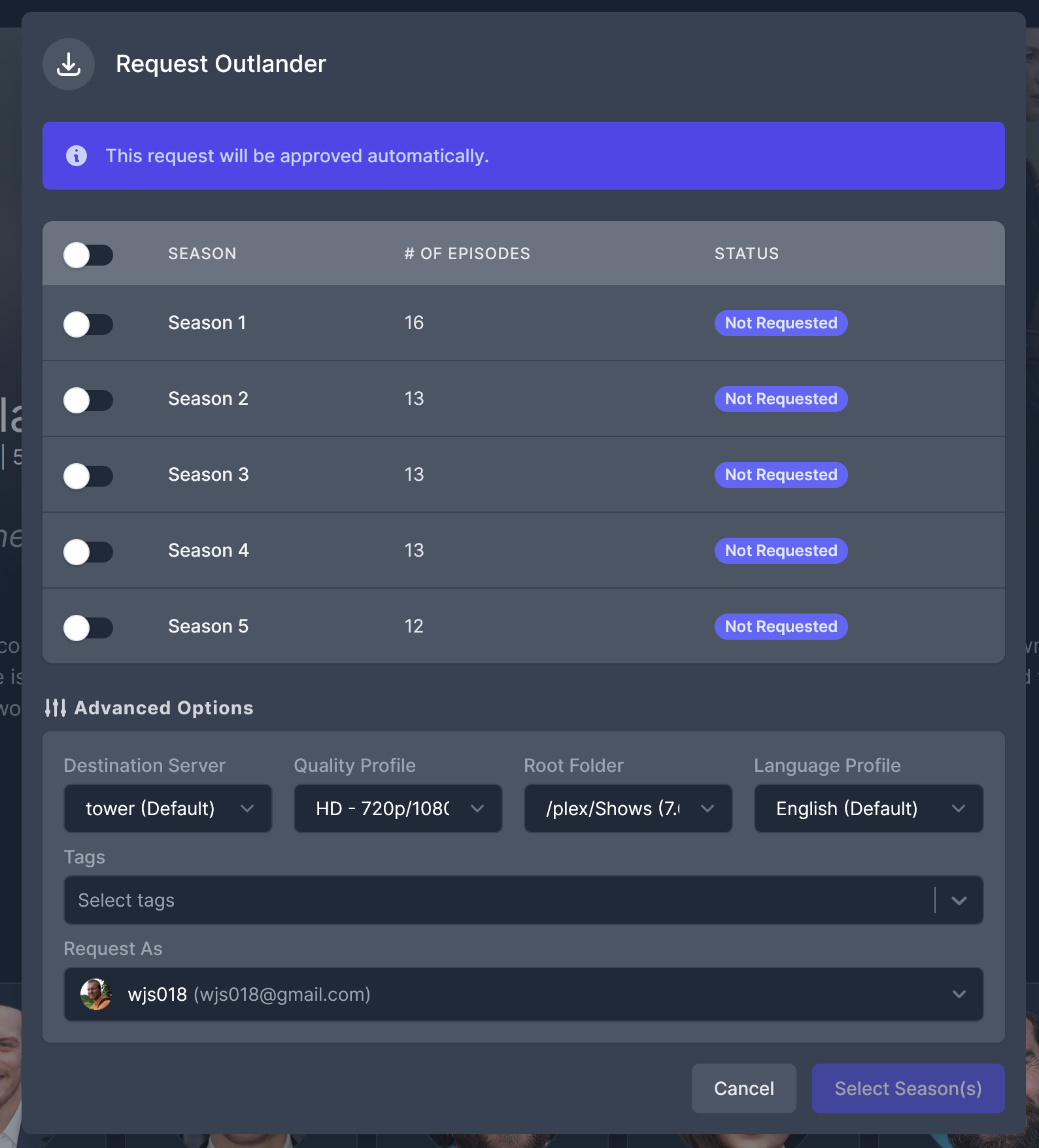
##### Step 2: Becoming Friends The next thing you need to do is become friends with me on plex. This actually needs to be initiated on my end. I will send an invite to you via email. I recommend first signing into plex.tv in your browser. Then, in that email, you can click a link to verify that your plex account is now friends with my plex account. If I have spoken to you about getting access, but haven't sent you the invite email yet at this stage, let me know. ##### Step 3: Access Streaming Media Now that we are plex friends, you will have access to my plex libraries. You can access that one of several ways. First, you can go through the [plex.tv](https://www.plex.tv/) website and click the `Launch` button in the upper right after you have logged in (below). [ 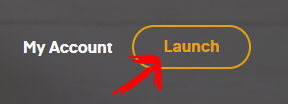](https://bookstack.walterschwenger.me/uploads/images/gallery/2018-11-Nov/plex_button.png) The final way of streaming content would be from a plex app on your phone/smart TV/game console/chromecast/etc. Like the other methods, after you are signed into your plex account, you should be able to access my media after we are friends on plex. # How to Request New Movies/TV Shows I have set up some services behind the scenes to allow you, the user, to request new Movies and TV shows to be added to my server for you to stream. There are a couple options: #### If you use Jellyfin: If you stream from my server using Jellyfin, then you can access a piece of software called Jellyseerr to request media. Simply go to [https://requests.wjs018.xyz](https://requests.wjs018.xyz) and then log in using your Jellyfin credentials. From there, you are presented with the Jellyseerr interface that lets you place requests for movies and TV shows. #### If you use Plex: If you stream from my server using Plex, then you can access a piece of software called Overseerr to request media. Simply go to [https://requests.walterschwenger.me](https://requests.walterschwenger.me) and then log in using your Plex account. From there, you are presented with the Overseerr interface that lets you place requests for movies and TV shows. #### Using Discord: If you are in my discord server, then you can request things for the server in the `plex-updates` channel. The slash command is `/request` and then you can follow the prompts from the bot. This channel is where all the fulfilled requests are announced, so keep an eye out for new stuff! #### Detailed Instructions for Jellyseerr/Overseerr Both Jellyseerr and Overseerr are extremely similar because they both derive from a common piece of software (in open source parlance, Jellyseerr is a fork of Overseerr). So, the workflow and UI is shared between them. I have included more detailed instructions below of how to place a request. ##### Movies: The way you request a movie is by first searching for the movie or show in the search bar. Then, once you find the movie you want to request, simply click the request button along the right hand side of the screen when you click on the movie that you want (circled in red). [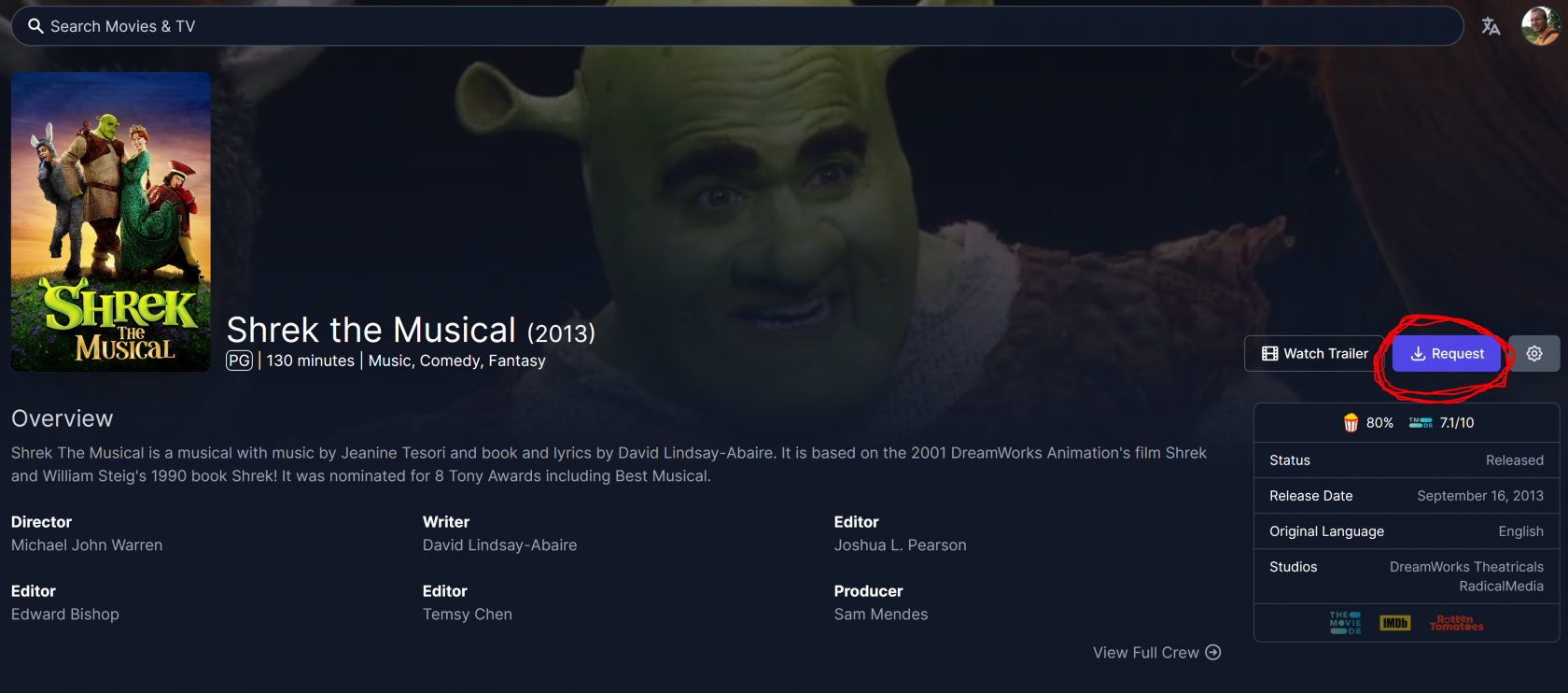](https://bookstack.walterschwenger.me/uploads/images/gallery/2021-04/request-button-movie.png) ##### TV Shows: The way to request a TV show is similar. Search for the show that you want to request, click it and then click the request button, just like for a movie. However, if the show has multiple seasons, you will get an additional window to let you select what seasons of the show you are requesting.The advanced options portion of the window that you see below may not appear for you. That is fine, it is all set to work automatically.
#### [](https://bookstack.walterschwenger.me/uploads/images/gallery/2021-04/season-request.png) ##### Exceptions: There are a couple types of media which will be more difficult to come by. In general, relatively popular Western media will be fine. Old shows/movies that haven't been released on modern formats will be difficult to get, but I will try. Anime will probably take me a bit longer to turn around as I often need to do those manually since there are many different language/qualities available to sort through. Similarly, foreign content like Kdramas or Bollywood movies might download automatically, but I often need to manually intervene to make sure subtitles get added that sync up, so these might take a little bit of extra time. Feel free to request all these things, but it might just take longer to get them to you. If I can't find something, I will let you know. # Migrating to Jellyfin from Plex #### What is Jellyfin? [Jellyfin](https://jellyfin.org/) is basically like Plex, but it isn't run a corporation. Instead, it is software that is developed by a group of dedicated volunteers publicly and published for free. For me, running the server, it means that things are more complicated than Plex, because I have to host some of that infrastructure myself. However, for you, things can stay mostly the same as they were before, it's just that you will use a different app than before and the UI will be a bit different. Most importantly, because I am a benevolent ruler, access to my Jellyfin server will be free of charge, unlike Plex (after April 29th, 2025). #### How do I sign up? Unlike Plex, Jellyfin doesn't allow just anybody to load up somebody's server and create an account (thankfully). So, to have an account with access to my server, I actually need to make an account for you. So, simply reach out to me and ask for access. I will create your account, make sure that your watch history from Plex is imported correctly, and then hand it over to you. I recommend that you change your account password afterwards since I will be using pretty simple passwords as placeholders. Also, since this is all hosted on my infrastructure, I recommend that you don't use a password that you have used for other things. The hash for your password is stored locally on my server, so if it were ever compromised, it would risk leaking out. So, to summarize: 1. Reach out to me, letting me know you want a Jellyfin account 2. I will create your account and make sure that your Plex watch history is imported correctly (if you want this) 3. I will provide you the login information using a placeholder password that you should change after you log in 4. Enjoy! Let's go into some more details if you have any problems with these steps... #### Logging in for the First Time I host my jellyfin server at [jf.wjs018.xyz](https://jf.wjs018.xyz). So, when I give you your login credentials, go to that site and you should see a log in screen: [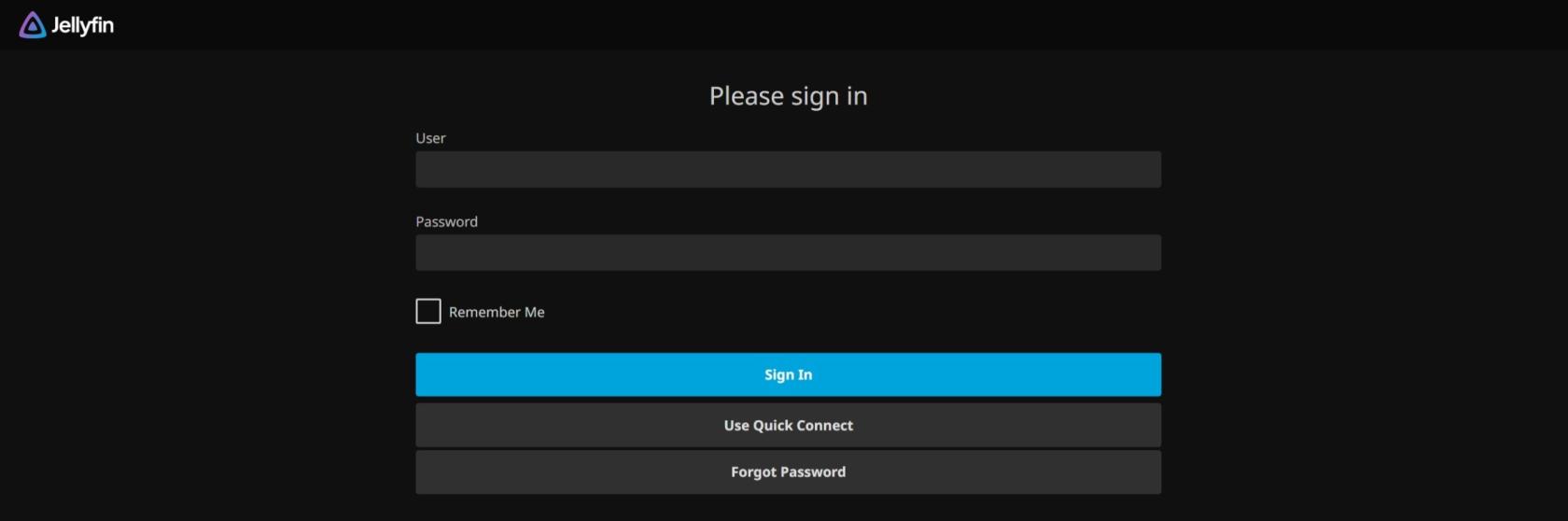](https://bookstack.walterschwenger.me/uploads/images/gallery/2025-03/screenshot-19-3-2025-231946-jf-wjs018-xyz.jpeg) Use the credentials I provided to you to log in. If everything worked, you should be greeted with the main interface of Jellyfin. The first thing you should do is change your password. To do that, you first want to hit the person icon in the upper right of the window : [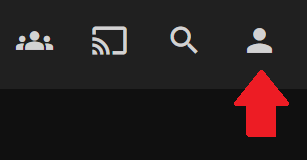](https://bookstack.walterschwenger.me/uploads/images/gallery/2025-03/screenshot-2025-03-19-235156.png) From here, select "Profile" from the menu: 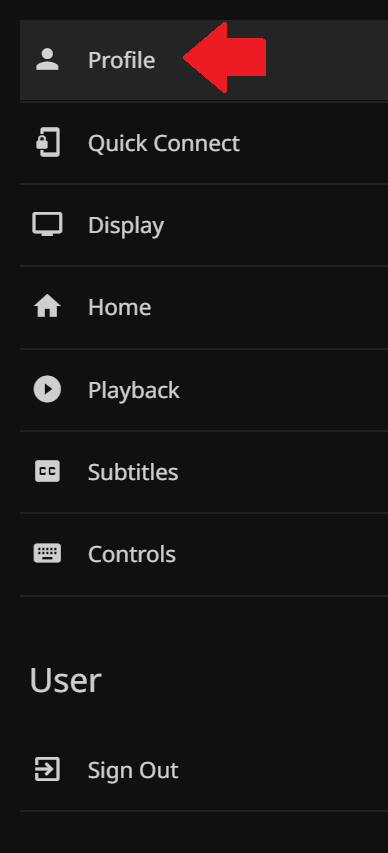 Then, you will be able to change your password. #### What's Different in Jellyfin? There are a couple differences I have found from using Jellyfin compared to Plex: - **Not as many clients** - Jellyfin, being something developed by the community instead of a corporation, doesn't have the clout/marketing team to convince other corporations to allow Jellyfin apps in their store. For example, Sony has not allowed a Jellyfin app for the Playstation and not all Smart TV brands have a native app. Options to get around this would be to cast Jellyfin from one of the mobile apps or from a browser window. Alternatively, Roku, Android TV, and Fire sticks all have native Jellyfin clients. [Here is Jellyfin's page](https://jellyfin.org/downloads/) showing their supported clients. - **No music** - To be frank, looking over my Plex logs, it doesn't look like any of you use the music I have in Plex anyway. So, I don't think that losing the music library is a huge deal. Let me know if this is something you want though as there are plenty of music servers that I can host if you want them. In all honesty, Jellyfin can do music, but the support/experience is just not as good. - **Download away** - Jellyfin allows you to download media files to your device if you want so that you can watch them even without an active internet connection. So, go crazy! - **Subtitle Options** - If you are an avid watcher of subtitled media, then some titles might display a little weirdly as Jellyfin tries to offload subtitle rendering to your viewing device instead of doing it on the server. However, my server can handle it, so here is something you can do if you encounter weird subtitles: - Click the person icon in the upper right to bring up the menu - Click "Subtitles" - Change the "Burn Subtitles" dropdown to "All" or "All Complex Formats" - You might need to do this for each device you watch with as the setting is specific per device #### Any Changes to Requests? I have set up a new requests site that you can log into using your Jellyfin credentials. Access that here: [https://requests.wjs018.xyz/](https://requests.wjs018.xyz/) The existing request options still work the same as before. To recap all your options, here they are: 1. [https://requests.wjs018.xyz/](https://requests.wjs018.xyz/) - Using your Jellyfin credentials 2. [https://requests.walterschwenger.me/](https://requests.walterschwenger.me/) - Using your Plex credentials 3. Hop on the discord and request things from the bot using `/request` - reach out to me if you aren't already on the discord server