
How to Request New Movies/TV Shows
I have set up some services behind the scenes to allow you, the user, to request new Movies and TV shows to be added to my plex library. You will be notified by email (the email associated with your plex account) when it is availableserver for youryou viewing.to stream. There are a couple options:
StepIf 1:you Accessuse Requests PageJellyfin:
ThisIf pageyou canstream be accessed, like Plex and other services, viafrom my homeserver pageusing orJellyfin, directly with this link. Just click on the button that says Request Movie/TV Show.
Once there,then you can access a piece of software called Jellyseerr to request media. Simply go to https://requests.wjs018.xyz and then log in using your Jellyfin credentials. From there, you are presented with the plexJellyseerr accountinterface that lets you place requests for movies and TV shows.
If you use toPlex:
If you stream from my server using Plex, then you can access mya plexpiece server.of software called Overseerr to request media. Simply go to https://requests.walterschwenger.me and then log in using your Plex account. From there, you are presented with the Overseerr interface that lets you place requests for movies and TV shows.
Using Discord:
Note: If you are unablein tomy logdiscord intoserver, Overseerr,then butyou can request things for the server in the plex-updates channel. The slash command is /request and then you can follow the prompts from the bot. This channel is where all the fulfilled requests are ableannounced, toso accesskeep Plex,an theneye letout mefor know.new Sometimesstuff!
Detailed Instructions for Jellyseerr/Overseerr
Both Jellyseerr and Overseerr are extremely similar because they both derive from a common piece of software (in open source parlance, Jellyseerr is a fork of Overseerr). So, the plexworkflow usersand aren'tUI automaticallyis importedshared tobetween the request system correctly, sothem. I have included more detailed instructions below of how to fix it on the back end. Just send me an email or Discord message and I should have it sorted out for you real quick.
Step 2: Makeplace a Request
Once you are able to access the requests system, you are now able to request movies and tv shows to your heart's content.request.
Movies:
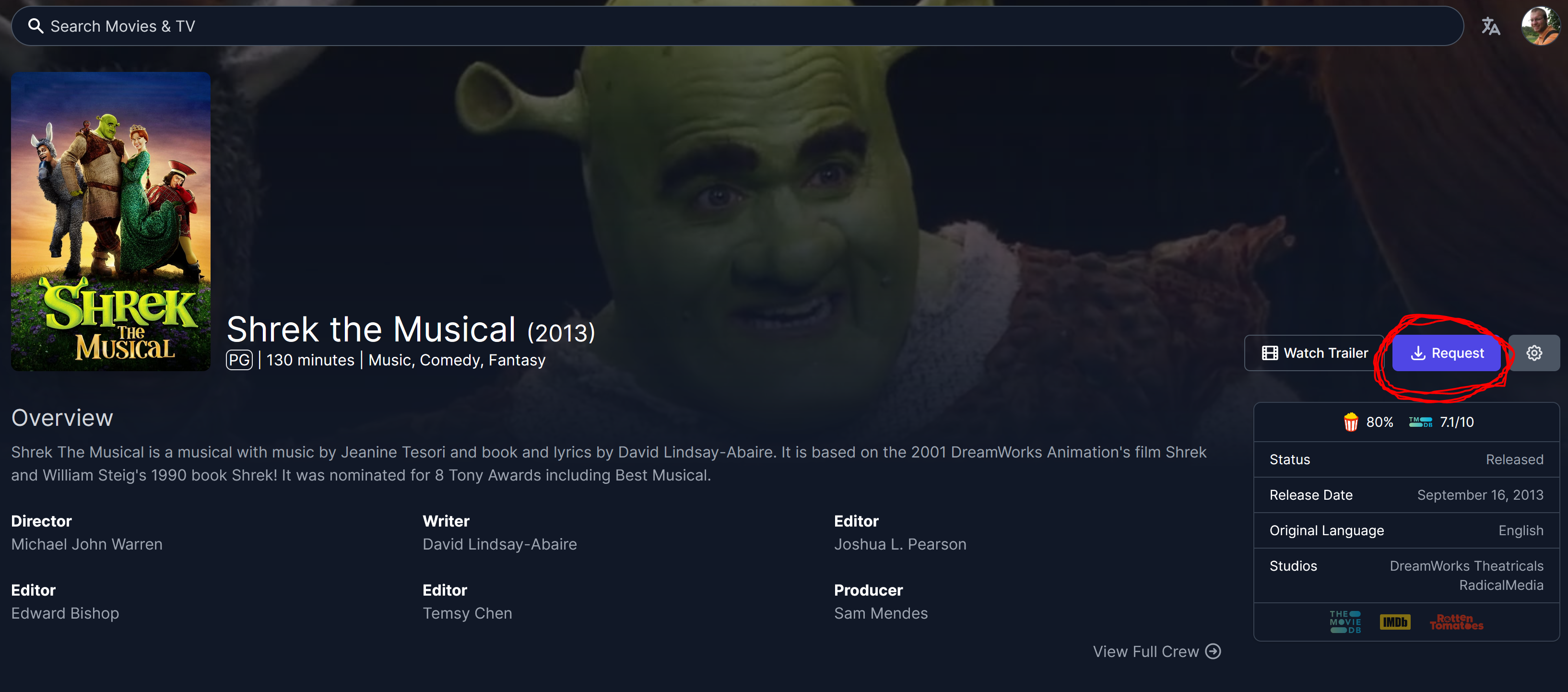
The way you request a movie is by first searching for the movie or show in the search bar. Then, once you find the movie you want to request, simply click the request button along the right hand side of the screen when you click on the movie that you want (circled in red).
TV Shows:
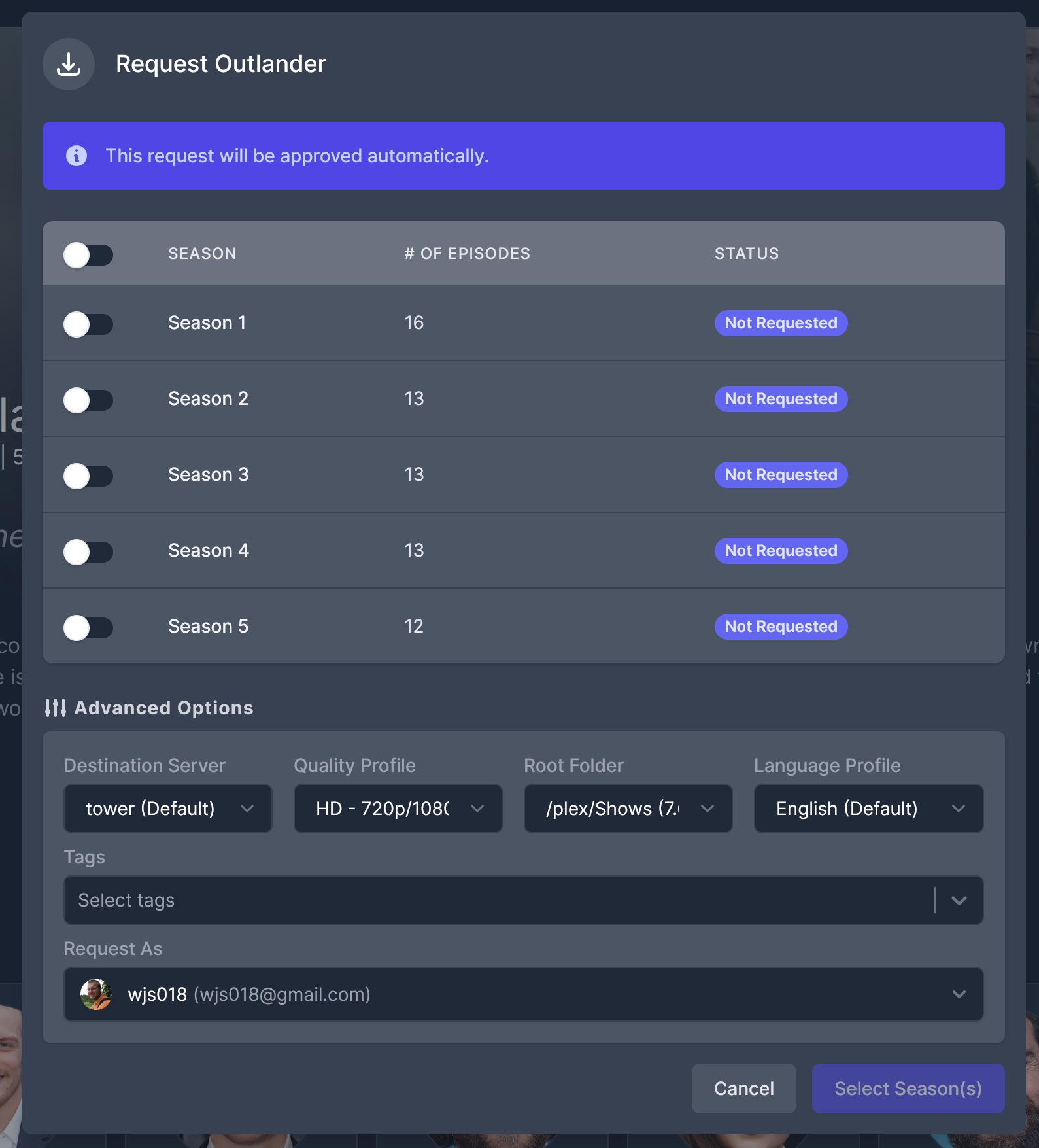
The way to request a TV show is similar. Search for the show that you want to request, click it and then click the request button, just like for a movie. However, if the show has multiple seasons, you will get an additional window to let you select what seasons of the show you are requesting.
The advanced options portion of the window that you see below may not appear for you. That is fine, it is all set to work automatically.
Exceptions:
There are a couple types of media which will be more difficult to come by. In general, relatively popular Western media will be fine. Old shows/movies that haven't been released on modern formats will be difficult to get, but I will try. Anime will probably take me a bit longer to turn around as I often need to do those manually since there are many different language/qualities available to sort through. Similarly, foreign content like Kdramas or Bollywood movies might download automatically, but I often need to manually intervene to make sure subtitles get added that sync up, so these might take a little bit of extra time. Feel free to request all these things, but it might just take longer to get them to you. If I can't find something, I will let you know.